Possibility to make SecuritySpy HomeKit compatible?
Comments
-
Hi @mikejandreau, SecuritySpy can already do this. It works both ways: you can trigger events in SecuritySpy from HomeKit (e.g. start recording when a door opens), and you can trigger HomeKit accessories from events in SecuritySpy (e.g. turn on a light when motion is detected in a camera). Read more here: SecuritySpy HomeKit Integration.
-
I have HomeBridge setup with my HomeKit setup and I also have SecuritySpy.
Recently I installed a plugin for HomeBridge (homebridge-securitysystem v6.3.0) which lets me do thinks like trigger a siren when armed if a door sensor is triggered.
What I would like to do is see the SecuritySpy camera's from the SecuritySystem as just motion detectors with just an event which triggers when Security Spy has determined that motion as been detected which meets it's filtering AI rules.
I don't think I can do this at the moment with HomeKit Helper as its pushing events/scenes when I would like the HomeBridge Security app to see the cameras as devices like it does door sensors. I have to admit I'm new to HomeKit having just switched from SmartThings.
If anyone has done this or can help it would be most appreciated.
I have attached an example config from my phone which shows door sensors, and I would like to know if/how to add the SecuritySpy camera's as motion detectors.
Dave
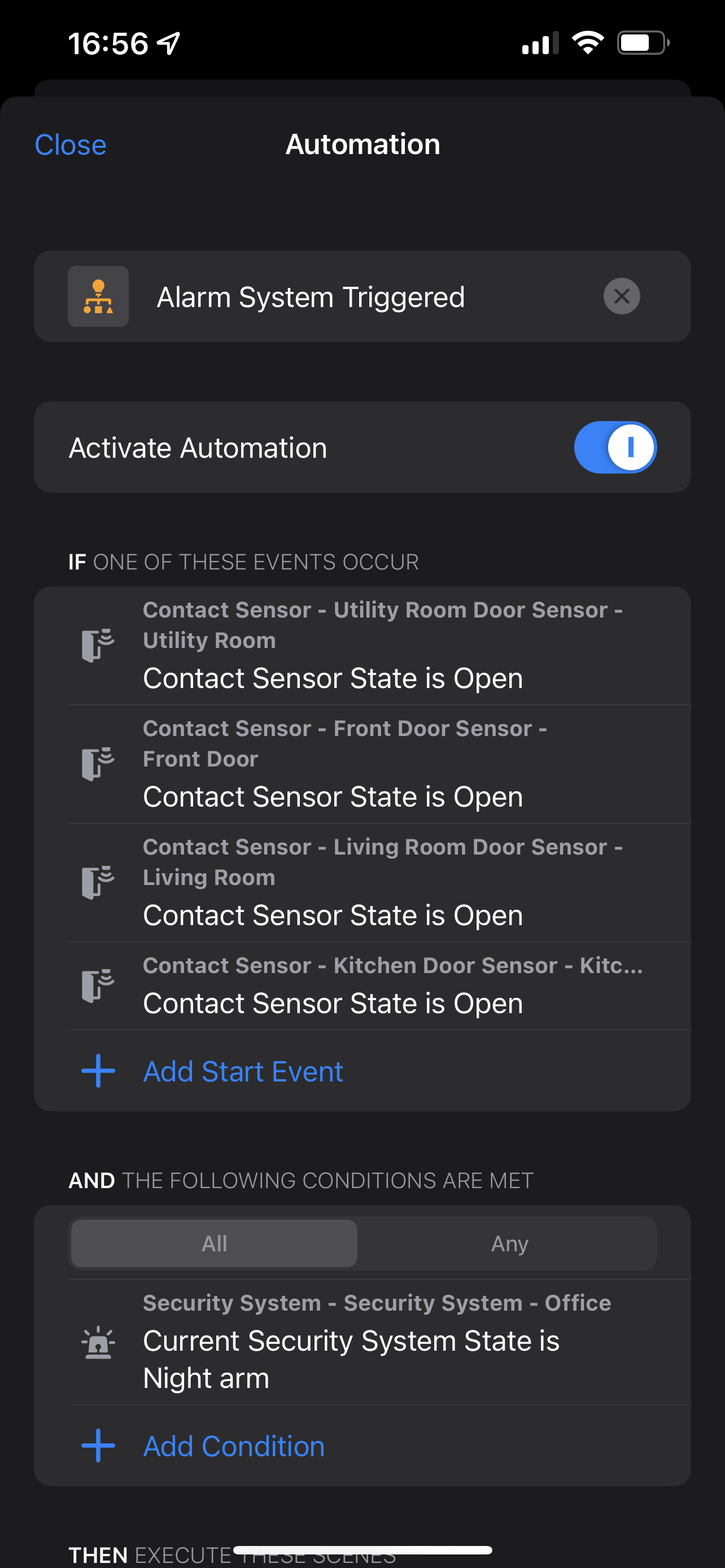
-
@Dave If I understand correctly, this might be what you're looking for. HomeBridge can have Dummy Switches, and Dummy Sensors, just install the plug-in, and configure one. SecuritySpy can, via HomeHelper, trigger these in the 'Actions' tab for the camera.
- Create a Dummy Sensor or Switch in HomeBridge
- Create a HomeHelper ACTION that triggers your Dummy Switch/Sensor you set up in step #1
- In SecuritySpy under your camera's Action tab, select the 'HomeKit Action' you set up in step #2.
-
That sounds like a good idea. I'll try that and report back.
-
Well - I got it working for some cameras for some of the time - but SS seemed to become unstable. I have 12 cameras fed from a hikvision nVR - once I got to about 5 cameras enabled with motion detection setting the dummy homebridge switch I would suddenly get all 12 cameras to go offline and restarting SS did not fix it. I had to restore my settings back before the change and reboot both the Mac and the NVR to get it all working again.
-
This post's information is a bit aged. Many of the links go to web pages that are no longer online. I don't believe the post talks about the SecuritySpy's Menu "Window" and the "URL Generator".
It would be nice to have it outline what the best settings may be.
Also, the HomeBridge Camera FFmpeg settings ask for both a "Video Source" url and a "Still Image Source" url. I believe both should start with: i- but I would imagine the "Still Image URL" is different than what SecuritySpy creates for the URL in the URL Generator area.
I had success getting one camera working off and on to show up on the Apple Home App but when I would click on the camera it would not show a steam, despite it having an image on the Home App.
I am currently stuck with no camera working but it might have something to do with the FFmpeg config.
-
I have the best luck (these days) with feeding a RSTP stream (or direct integration from camera plugin) using Scrypted.
I run it in an LXC for the purposes of sending 3-5 specific camera feeds to my Home app for my wife and kids to check. It's pretty simple to setup.


