Feature Request - for the dashboard

Hello, perhaps this feature already exists and I just can’t find it:
I use the dashboard to monitor RAM usage and CPU utilisation. Unfortunately, I have to change the date on the dashboard manually every day. Is there a way to set this up to happen automatically?
Thanks.
Comments
-
A small addition: The dashboard window now disappears even when SecuritySpy is displayed in full-screen mode. That wasn't the case in earlier versions.
-
Don't panic, I quickly programmed my own dashboard.
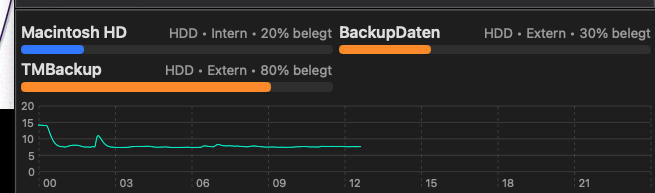
-
Your dashboard looks great!
You are correct - the date in SecuritySpy's Dashboard doesn't update automatically, the date is designed to be manually selected - generally users wouldn't leave this window open, you'd use it every now and then to review resource usage and other performance. Perhaps we can add an option for this, but I can't promise if/when this will happen.
In full-screen mode, the video windows take over; that is expected behaviour. But you should find that the already-open Dashboard window is still open when you exit full-screen mode - is that right?
-
Thanks Ben.
Yes, the SP dashboard is open on another desktop on the Mac, but i need the dashboard always on top, even when SP is in full-screen mode. It works fine with my own dashboard now and the day also changes automatically.
Everything's fine.
