Accessing captured video from different client on LAN

How do I access the files of captured videos if I'm on a different machine on the same LAN? For example, my SS (version 6) is running on iMacSS. If I'm in front of that machine I can go to the SS browser and select the camera and file. But if I'm on a different machine on my LAN, how do I get there?
Comments
-
For this you can use SecuritySpy's web interface. If you have not done so already, enable it under Settings > Web, and set up an account.
On the Mac running SecuritySpy, go to System Settings > General > Sharing, and at the bottom you will see a Local hostname, which will be something like Mac-mini.local
Then, from any other machine on your LAN, open a web browser and enter the URL https://Mac-mini.local:8000 (but modify this for the actual hostname), and this will get you to the web interface where you can view live video, play back recordings and adjust settings.
-
I've tried that Ben, but all I get is the window that I can view the camera feed. But not the needed controls. I seem to be missing a step somewhere.
-
In the web interface, there is a menu at the top-left, just below the SecuritySpy logo. Click it and you should see something like this:

If you don't see some of these options, this means that the web account you are using does not have sufficient permissions. To change the permissions, go to Settings > Web in SecuritySpy, where you can edit the web account. For example, the "View, Download" permission type will give you access to live video and captures, while the "Administrator" type will give you access to everything. You can also choose to give different levels of access to different cameras.
-
Sorry, but I seem to be totally lost here. This is what my settings look like:
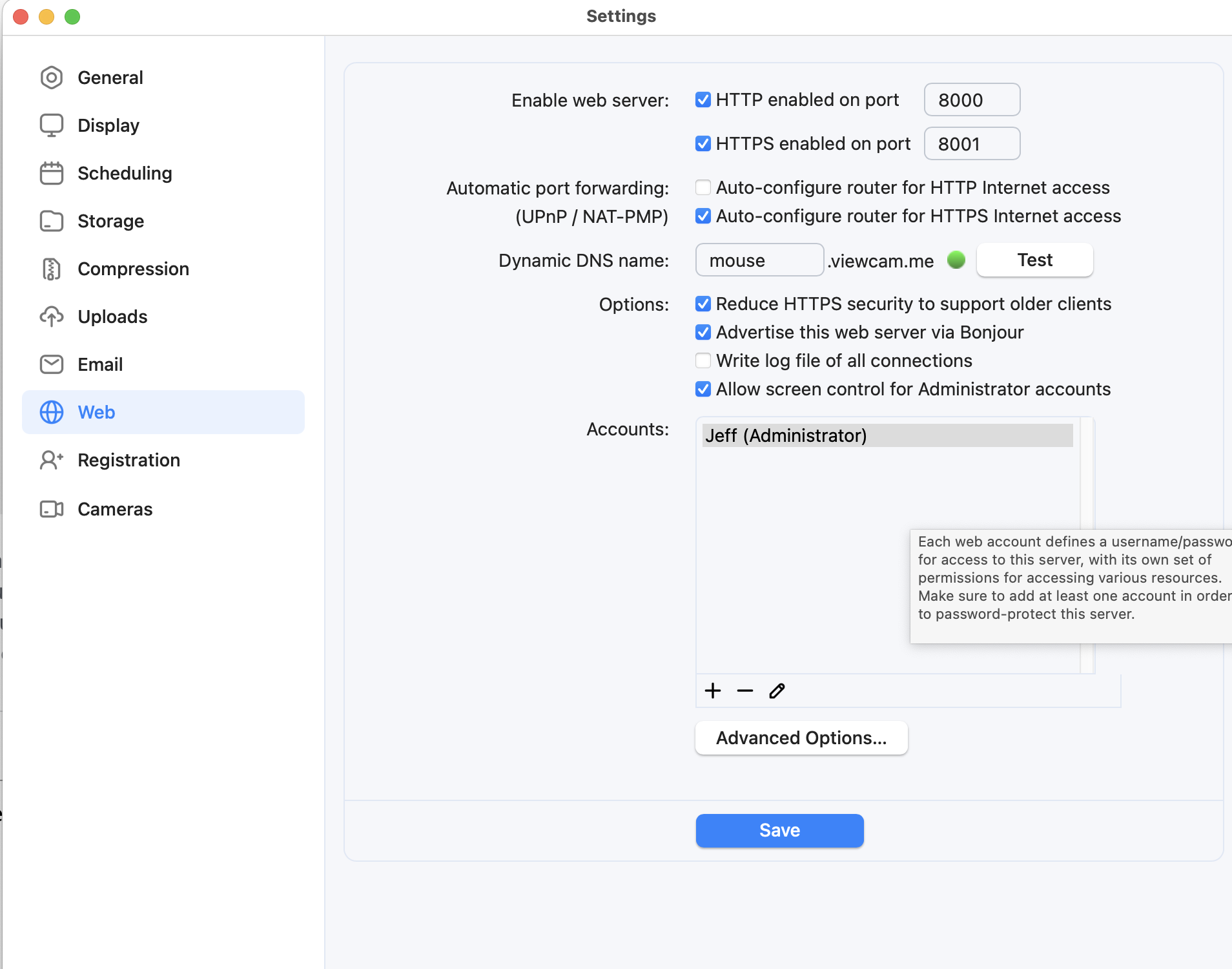
What else should I set?
-
This looks correct - the account "Jeff" has Administrator permissions. So when viewing via the web interface, you should have full access to everything. What is the content of the main menu - the one just below the SecuritySpy icon via the web interface?
-
There is no security spy icon when I look at the camera in a web browser.
-
So that we can understand what you are looking at, please supply a screenshot of what you do in fact see. If you prefer to continue this conversation privately, please email us at support@bensoftware.com and we will help you directly.
