Update has changed thumbnails on motion detection notifications?

Hi team,
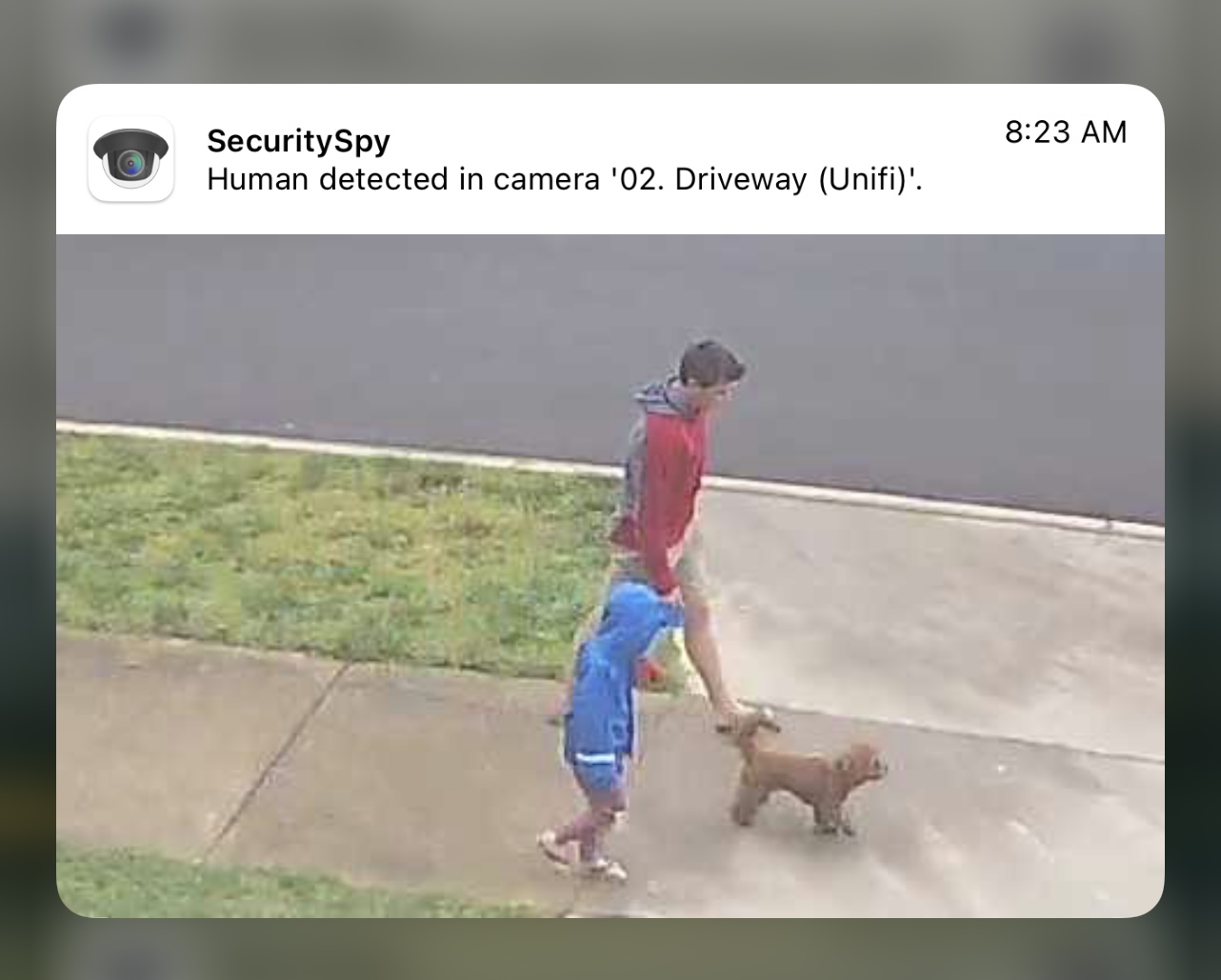
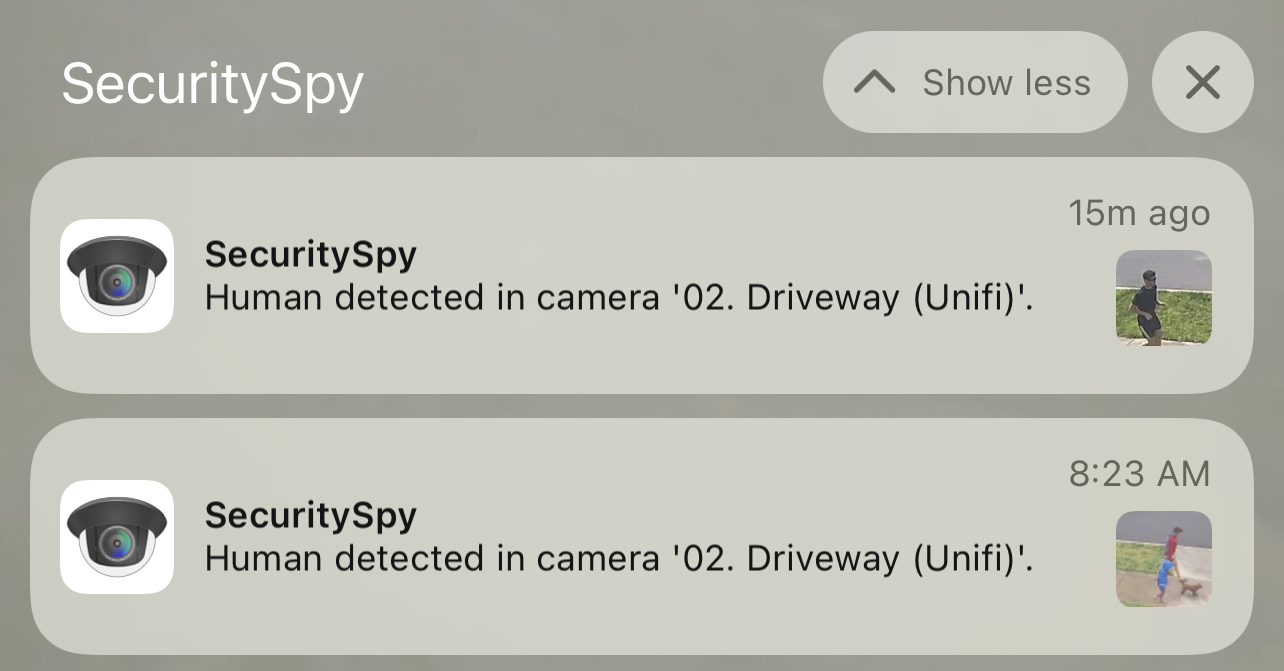
I've got 4 cameras running on an M1 Mac mini and we use People and Vehicle detection. Historically, loved this feature - incredibly accurate and minimal false positives by comparison to Sighthound. However, in the most recent update which introduces Animal objects, for some reason the thumbnails have changed from capturing the full frame to snipping down to what the ML/AI has 'detected' as the object.
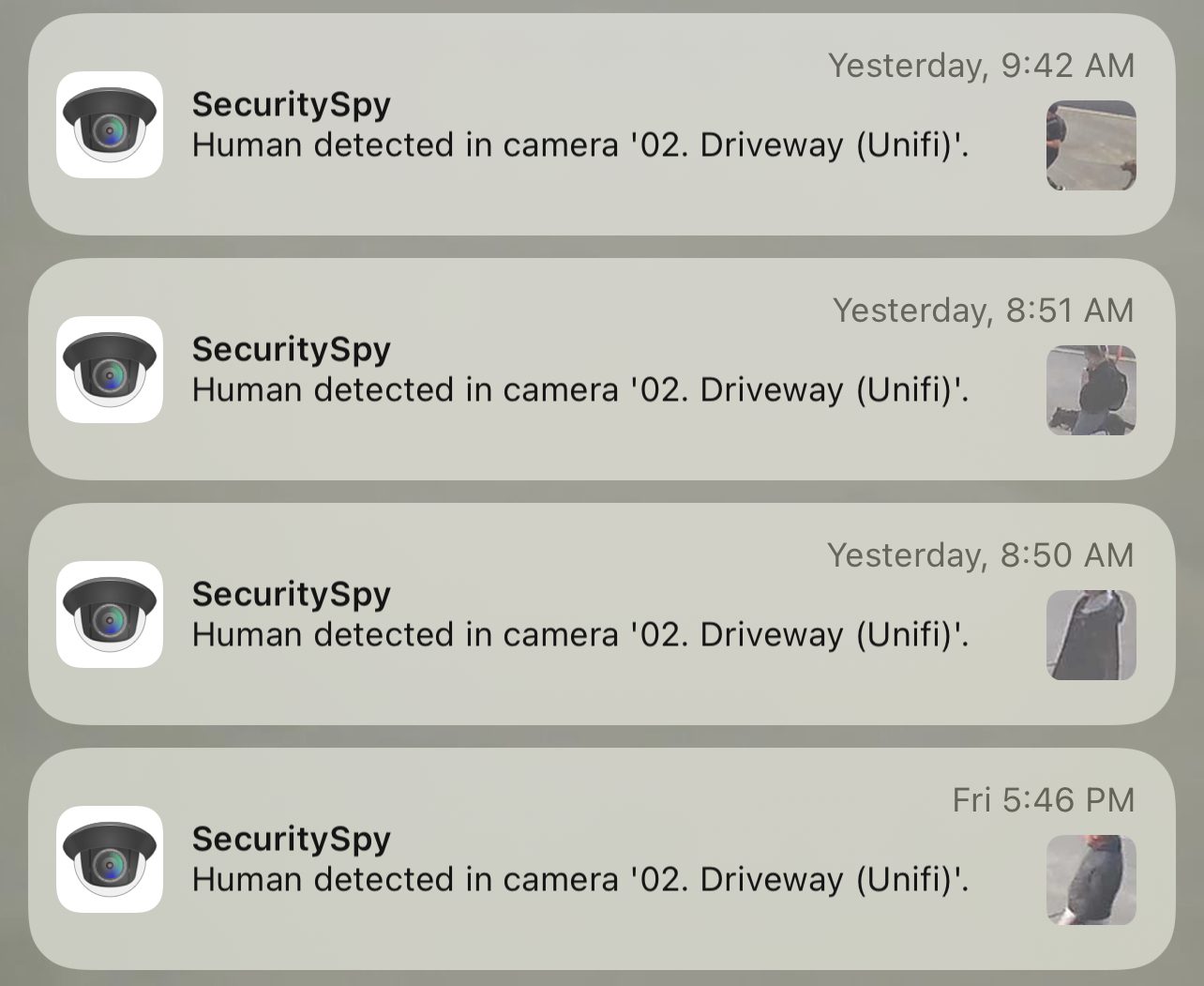
Now, I can appreciate the benefit of this feature for various situations - but this has totally wrecked notifications for us as we have no idea where this movement is happening in the frame anymore. Full frame snapshots allowed us to tell if it was a courier coming up our driveway vs someone walking across our drive way.
Is there any way we can make the snapshot image a selectable type for the notifications? As not to take away from those who prefer the detected object being shown?
Thank you!
Comments
-
It has always been the case that these notification images are cropped to just the are of motion, however we did make a small change with this in the latest update, which is that the minimum size of these images was reduced. This was in response to ever-increasing cameras resolutions, which allow good images to be created from small parts of the original frame.
So it sounds like the new smaller size is cropping the area of motion too tightly for your purposes. Perhaps we can add a setting that lets the user adjust the minimum size used for this - what do you think?
-
Thanks for the response Ben. I think you’re right and unfortunately the new size has made the images kind of unusable in a lot of cases. So being able to adjust the minimum size would be a great feature enhancement.
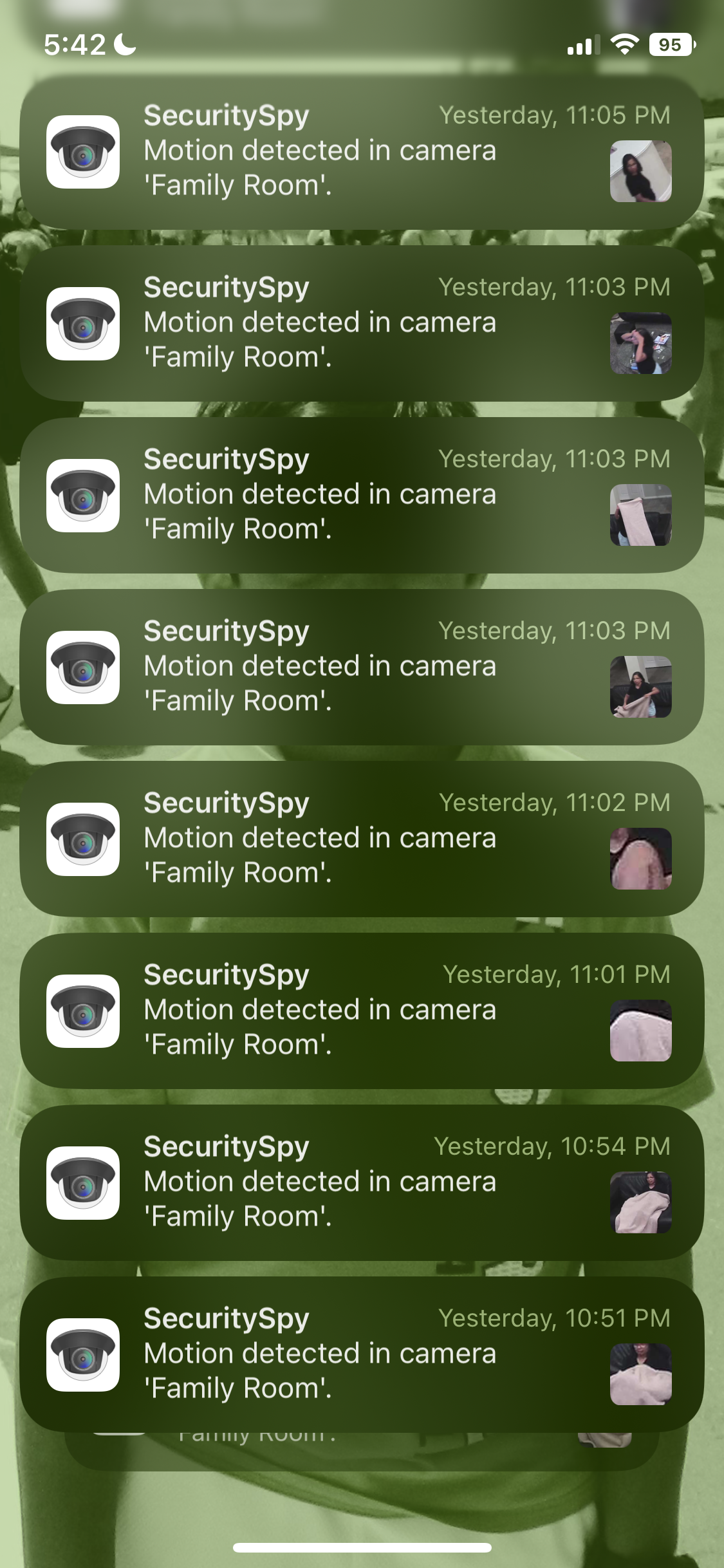
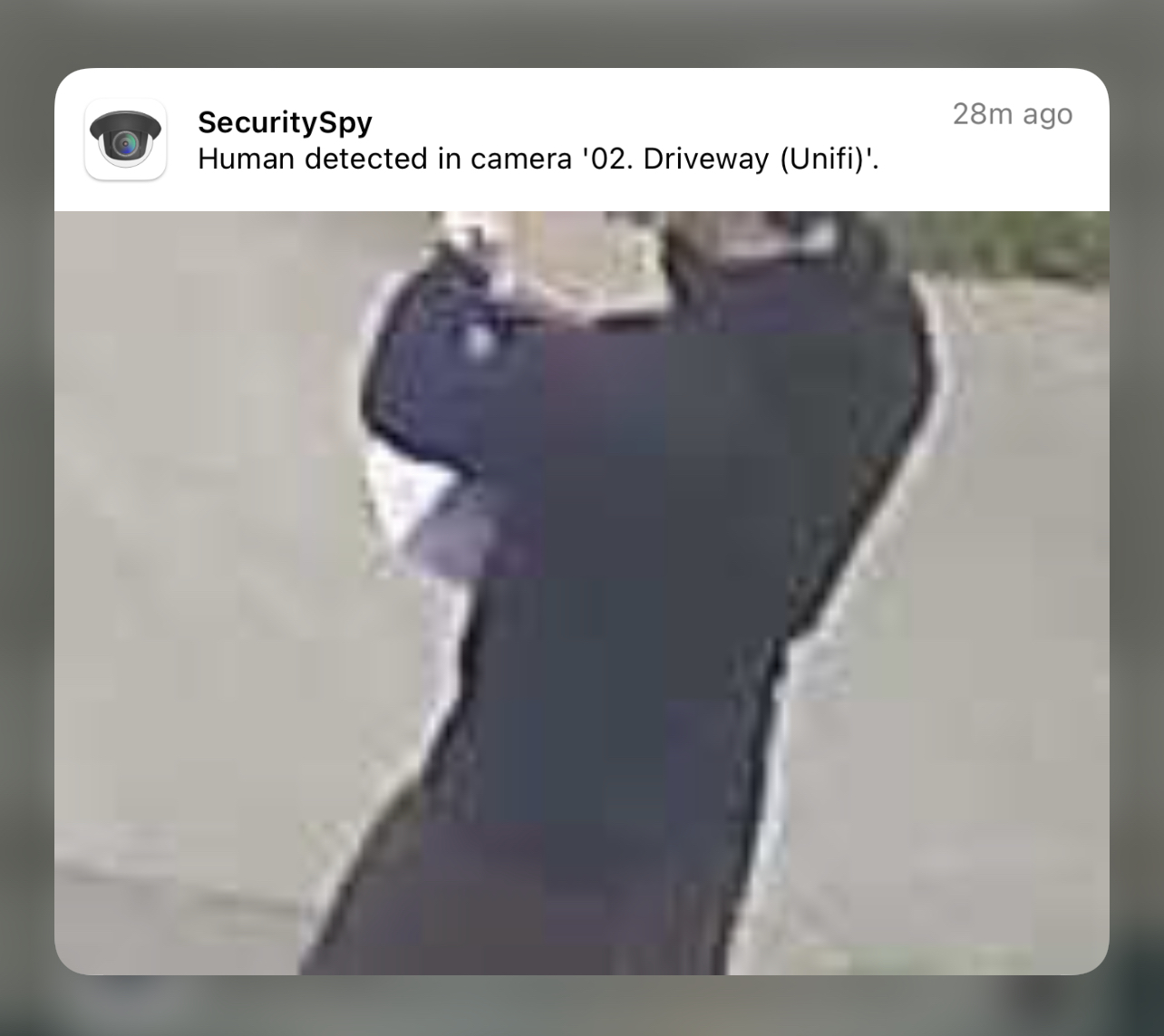
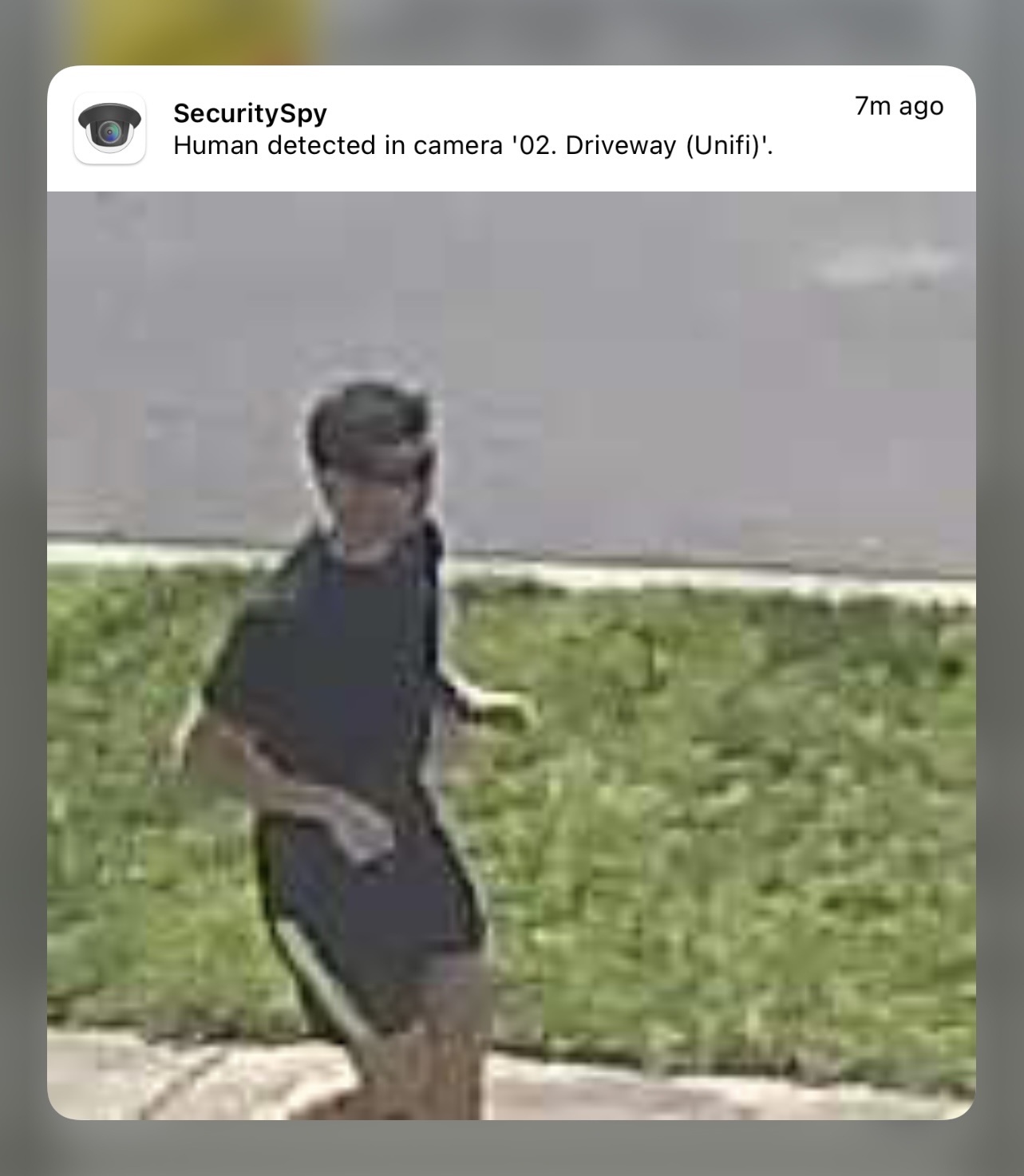
I’ve included a couple of screenshots to provide some context if before and after the update.
-
-
Not on Apple Watch. Which normally influences if you’re going to go pick up your phone and take a better look in the app or take action accordingly.
-
Thanks for sending the screenshots, this demonstrates the issue quite well. I'll see what we can do.
-
We have increased the size of the notification snapshots in the latest beta version of SecuritySpy (currently 5.5.1b4). I certainly agree with you that the crops shown in your second screenshot (from SecuritySpy v5.5) are too tight, but to my eye the crops shown in your first screenshot (earlier versions of SecuritySpy) are too loose, so that you can't identify much about the person because they are so small. The beta should give you something in between - hopefully around the sweet spot. Please test and let me know your impressions.
-
Hi Ben, I've tested the new Beta version (super impressed by the Debug menu btw, kudos) and unfortunately this still isn't ideal.
The wider crop was really useful for seeing where the the detection was occurring at a glance. The new tighter crop would be useful if we had super high resolution cameras or if the AI could detect directional data. E.g. Human walking towards the camera/house. Human walking left to right. That way we could enable it just for Humans coming toward the camera, as opposed to walking past the camera.
But for as long as we have people walking past, up, away etc - we need more context about where they are to understand how to act at a glance.
Additional photos based on the latest beta attached.
It is hard to tell if the first photo is on our property or sidewalk. Difficult to understand where the second one is at all. This makes it tricky to tell if someone is delivering something or walking their dog.
The detection at night with the wider crop has been great, but with the tighter crop, in black and white is now unusable.
I've rolled back to 8.4 (thanks to the Debug menu!) as the wife has started to complain but I appreciate the effort and please do keep us updated!
Thanks Ben!
-
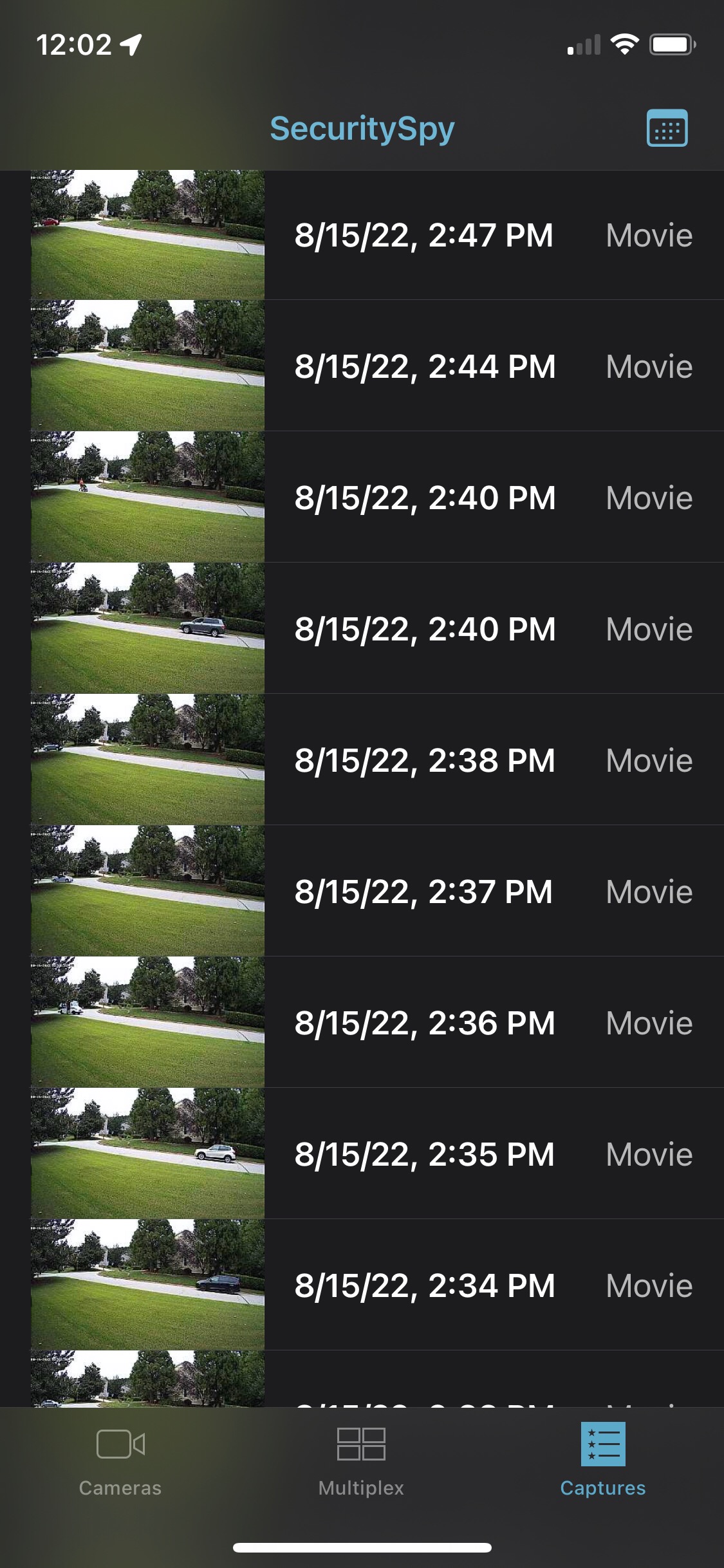
I've mentioned this before, but we really need these AI detection thumbnails on the iOS app Captures tab. As well as making the image larger since the image uses maybe 30% of the screen with the other 70% being used by the repeated date, and repeated type. On my iPhone X, they are tiny, unless it's a vehicle, I usually have no idea what it detected. Also this screen would be more useful if we could filter by the different AI objects (I usually just want to see which humans have walked by)
-
I agree that the change to the thumbnail cropping in 5.5 makes iOS notifications less than ideal. I've tried the last few beta versions and haven't noticed any widening of the crop. For now, I'll stay at 5.4.3 to avoid a lock screen full of pictures of the crotches of my neighbors.
If it's possible, per camera options for notification crop size (Tight, Medium, Wide) would be a great solution and would allow useable notifications in a mixed resolution environment.
-
Please all test the latest beta version of SecuritySpy (currently 5.5.1b11), which has the following improvements:
- Crops for notification images are more generous and more accurate, so it should be much clearer to see at a glance what the moving object is.
- The preview thumbnail for captured files - visible both via the web interface and the iOS app - is now zoomed in to the area of motion, rather than showing the full frame, so it should be much easier to see what caused the recording.
The crops for the preview thumbnail and notification images won't be exactly the same, because the preview thumbnails are all fixed at 16:9 aspect ratio whereas the notifications images don't have a fixed aspect ratio, but they should be similar.
Please let me know your feedback after testing.
-
Ben, Thank you very much for this iOS thumbnail for captured files change. It makes a huge difference! If you can add the AI detection filter now so we can select Humans, Animals, etc, that would make the App even more useful. I get lots of cars, which I still want to capture, but usually just want to browse Human activity.
-
Great to hear your positive feedback. Yes, we are planning to add an event filter as you describe, but this will require an update to the iOS app, which will take a bit longer to complete.
-
Hi Ben,
Thanks again for taking another crack with the latest beta update. We've had a chance to trial it, and while we can see what is trying to be achieved for the notification icon, the image crop and thumbnail on the new version is still far too narrow to provide important context, so we're again having to switch back to 5.4.
We would appreciate if you could make this feature enhancement optional or adjustable (to 5.4 levels), so that we can install the latest update and benefit from the other improvements and security enhancements included in the latest 5.5 release.
We are happy with the way things are being shown in 5.4, and this change dramatically impacts the usefulness of these notifications.
Thank you!
-
Ben, if some struggle with context, how about generating a composite image, or just 2 separate images, where the top image is the full-frame with a filled-in or outlined red box indicating the area where the thumbnail came from.
-
I'm not entirely sure what you are recommending applies in this case Senna_F1, but maybe I don't understand your recommendation completely.
When a notification is sent to our iPhones in 5.5b, the icon for the iOS notification provides a narrow (4:3) crop on "what" was detected, and long pressing that notification doesn't provide any additional context as to "where" in the frame the event occurred because the image is just an enlarged version of the detection now in 4:3. Historically, in 5.4 there was a 4:3 icon in the notification, but on long press you could see a 16:9 image of "what/where".
We're definitely not requesting the whole frame in the notification icon, but I can certainly see value in your recommendation of providing a full-frame image with red-boxing for the detection on a long press.
However, that is provided these changes don't break or make the mirrored Apple Watch notifications less useful. It is often overlooked that changes to thumbnails on iOS can indirectly affect the way things are mirrored to WatchOS. Sighthound were really bad at this for a long time. The update to 5.5 was reminiscent because it was impossible to see what and where something was happening at a glance when notifications arrived on the Apple Watch.
Everyone in our building has Apple Watches and so as an event occurs, notifications are mirrored from iPhone to their wrist, informing them immediately at a glance, of whether to take action on the detected event or not. If these Apple Watch thumbnails get too narrow like they are in 5.5b, they become pointless as you can't long-press the notification for more detail or context. It isn't clear whether the images on WatchOS notifications are being mirrored from the iOS notification icons, or the long-press notification images - but in 5.5b the crop level meant you had to pick up your phone and check for more context almost every time.
The value of Security Spy has been detection accuracy combined with rich notifications, that in our case - mirrored straight to people's wrists. Because of this, the minimal false positives result in a great user experience as the app is hardly ever opened for 'more information'. With the narrower crop, and significantly less context being displayed, almost every notification requires more than a quick glance - and that's a huge inconvenience and step backwards for the end users.
-
These notification thumbnails are limited in size, so there is obviously a tradeoff here between detail (tight crop) and context (wide crop). And different users will want to make this tradeoff differently. I think what we have settled on in the latest beta is pretty good, but I understand that one solution won't work for everyone, so we'll look at adding a setting so that users can make their own choice about this.
-
I've had issues with the changes with the latest updates as well
Worked with Ben and opted to try the beta out, but still not back to pre-update quality
Especially when I push/pop on the iOS notification, the resulting image is a blurred mess
-
@pinkoos - are you on the latest beta version of SecuritySpy (currently 5.5.1b11)? This one has significantly larger crops than the 5.5 release and the previous 5.5.1 betas. It looks to me that we have the size just right for most users in this version (though we are still planning a setting so that users can adjust this).
-
Yes I’m on the latest build
-
@pinkoos could you send a screenshot or two to demonstrate pease? On the lock screen on your iOS device, swipe up, locate the stack of SecuritySpy notifications, tap to expand so that we can see a bunch of them, and take a screenshot. If you don't want to post this publicly please email this to support@bensoftware.com so that we can take a look.
-
Sure, will do once it generates more notifications during the time period I've set for that particular camera
Will be late tonight/tomorrow morning
-
We have now added a new control in the General preferences called "Motion bounding box crop", which allows you to adjust the size of the bounding box from which the notification images are generated. This is in the latest beta version of SecuritySpy (currently 5.5.1b13) - please test this and let us know your feedback.
@pinkoos those thumbnails don't look too bad to me - most of them correctly show just the area of motion, which is usually a good crop of the person moving. Yes, some of them don't show the person - this is presumably because the only movement detected at that point in time was another thing moving (e.g. a blanket). The new crop size control should allow you to prevent this from happening by increasing the crop size on your system. The blurry/pixellated nature of the zoomed-in image is a limit to the detail that the camera is supplying - yes, a wider crop would show more of the person, but it would not allow you to identify features such as faces any better.
-
Thanks for the explanation @Ben
I will try out the new beta
As for image and thumbnail quality, all I can tell you is that this was a non-issue (for me) prior to the update
Now when I peek/pop on the notifications, looking at the captured image, I’m focused more on image quality rather than image content, which IMO I shouldn’t be focusing on
-
Can you let us know where on that slider scale to move the dot to, in effect, recreate the setting as it would have been prior to the recent updates? Thanks
-
Other aspects of the motion detection algorithm have changed, so it's difficult to say where on this slider will give you the same results as before, but try somewhere around the middle and see if this gets you what you want.
-
Hi Ben, with the setting on max Tight, I got a full-frame thumbnail for Captures but a Cropped image for the Notification.
I wonder if to help satisfy the most users, this should be a setting per camera.With the setting you added in General being used as the default unless overridden by the camera specific setting.
Also, I'm pretty sure pinkoos would like the Max Wide setting to be a full-frame capture like it was before.
I'm really glad these changes are in place, and honestly don't see how getting tiny, full-frame thumbnails, tells you anything about why you are being notified, or what to look for.


-
No.. it was a maybe the only one I’ve seen where the images were different. Full frame and cropped for the same event. I wouldn’t worry about it. Just thought would be good to know.
-
I think I'm late to this party, but I've really been struggling with the new cropping of the preview image as well... I would really LOVE an option to make it behave the way it used to. The new way is I'm sure nice for some people, but I just want full frame previews, no zooming.
(I'm not using notifications, where I'm seeing it is the iOS app "Captures" list.)
I saw the new option in 5.5.2 "Motion bounding box crop" and I got excited, I moved it all the way over to "Wide" but it didn't make any difference.
Ever since the change I'm having a real hard time scanning through the list of captures in the iOS app.
If there were a way for there to be an optional way to simply turn OFF any kind of cropping/zooming, and have it just be an unprocessed full frame preview image like it used to be, that would be incredible.
(The preview image also seems to pop ahead a few seconds to the actual start of motion, and this seems to work well. I think this is the same as before. I've always liked how it did that.)