Separate control for movie playback FPS

Feature request:
I like recording a motion-detection movie each day, around 8fps is enough images. However playing back at 8fps is no fun, I'd rather watch the movie play back at 30fps. Could you add a control or a preference that allows for movies to be recorded at one FPS but played back at another? That would really help us.
Thank you.
I like recording a motion-detection movie each day, around 8fps is enough images. However playing back at 8fps is no fun, I'd rather watch the movie play back at 30fps. Could you add a control or a preference that allows for movies to be recorded at one FPS but played back at another? That would really help us.
Thank you.
Comments
-
Hi - if you are using SecuritySpy's Browser feature to play back the movies, you can simply use "JKL" control, where pressing L twice results in 2x playback speed (J is backwards and K is stop).
If however you are viewing the movies via the web interface, then there is unfortunately no way to play them back faster. What I would suggest is change to "separate movie per event" recording, then you will be able to see by the preview thumbnails exactly what is in each movie at one glance, like this: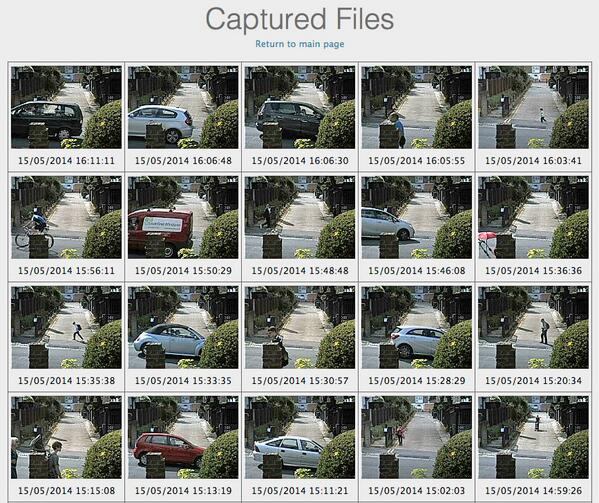
As for implementing a setting to set the playback rate for motion detection movies in SecuritySpy, sorry but as this is not an often-requested feature so I think it's unlikely that we'll do this. I hope the above ideas are good solutions for you.
