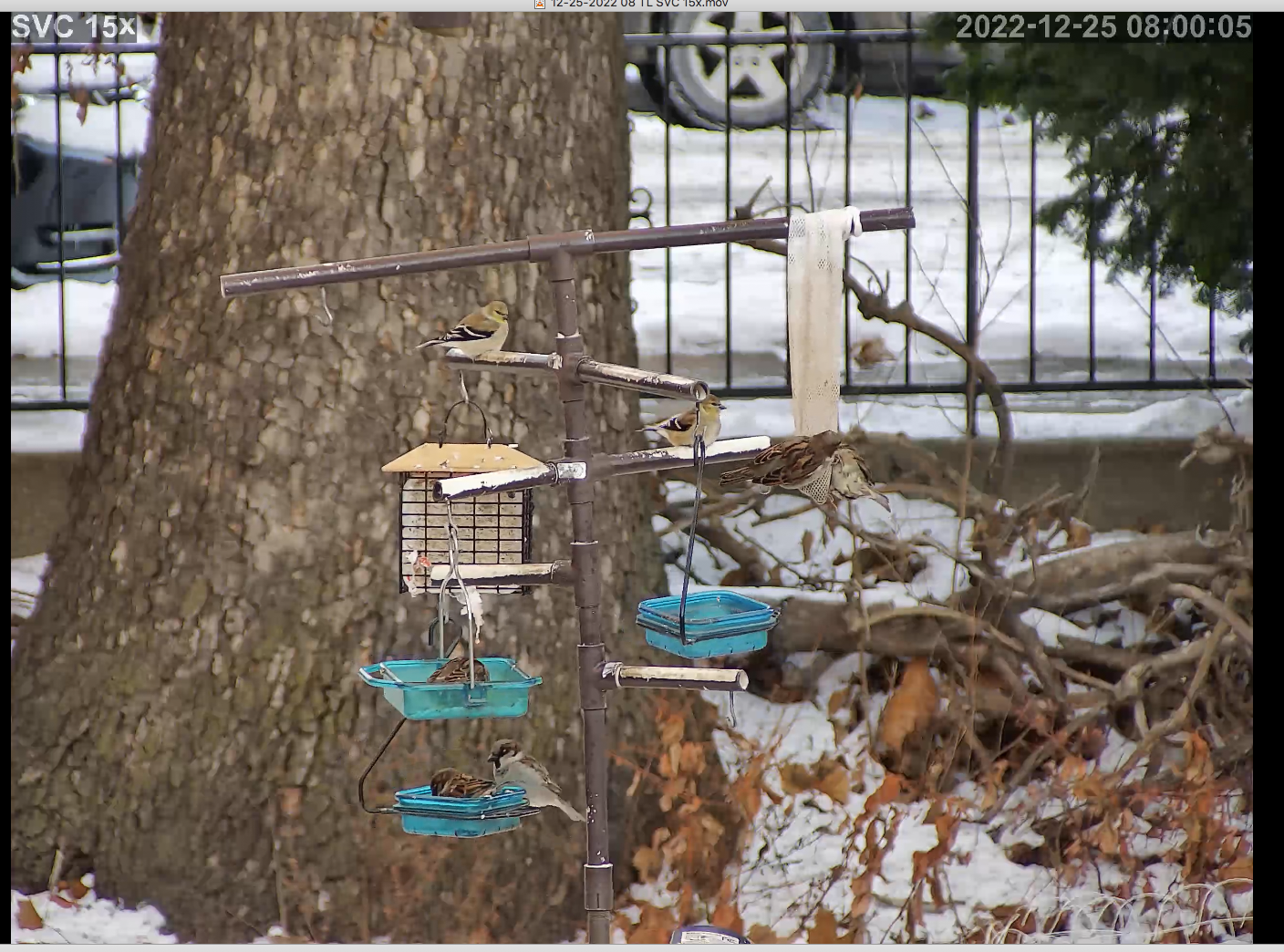
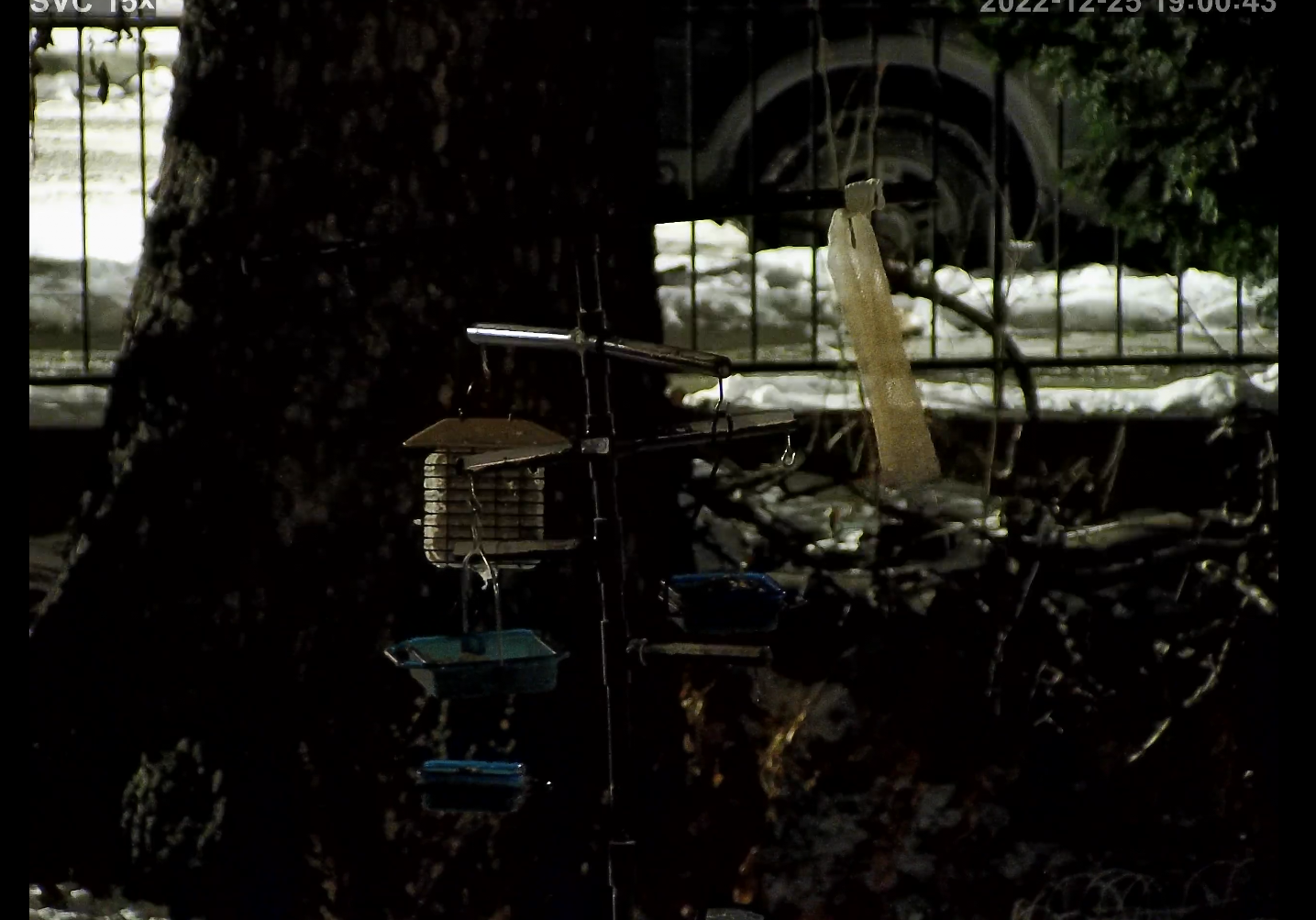
SV3C 15x PTZ-- trying to get focus to stay


I'm trying to figure out how to get the focus to remain on the feeders-- keeps resetting back to the tree bark. Can anyone explain how to enter or set a preset? I don't really know what "call" and "submit" do... or "remove" for that matter.
Instructions from the manufacturer follow. Bit of a language barrier. Thought I followed them but it's no better. Comes down to not understanding the "submit/call/remove" buttons probably.
[[If you want to aim at the bird feeder instead of the bark, please zoom to the maximum 15X, then aim at the bird feeder, and finally adjust the zoom and focous buttons on the APP to meet your needs.
If focusing is successful and you want to keep the camera at that position, please turn off the motion tracking function (call preset 68) or you can call preset 67 to activate the motion tracking function at that position. The camera will remain in that position.]]
Comments
-
I'm not sure why they are advising you to use the preset controls rather than the focus controls here. I see from your screenshot that the camera's interface has focus +/- buttons, so can you use these to fix the focus where you want?
It seems that they have special preset numbers 67/69 to turn on/off motion tracking, but again I don't see how that's relevant to focus!
Maybe the SV3C rep misunderstood your question, taking "focus" to mean the zooming/framing of the image, and it's therefore worth going back to them to ask again with further explanation?
-
Yes, thanks, I was wondering if they maybe didn't understand "focus." I did send an additional message with screenshots hopefully illustrating the problem a little better. The buttons work fine to adjust the focus but when the camera switches off of night mode all is lost. Whatever I did last night resulted in nothing at all being in focus today once it switched to day mode.
-
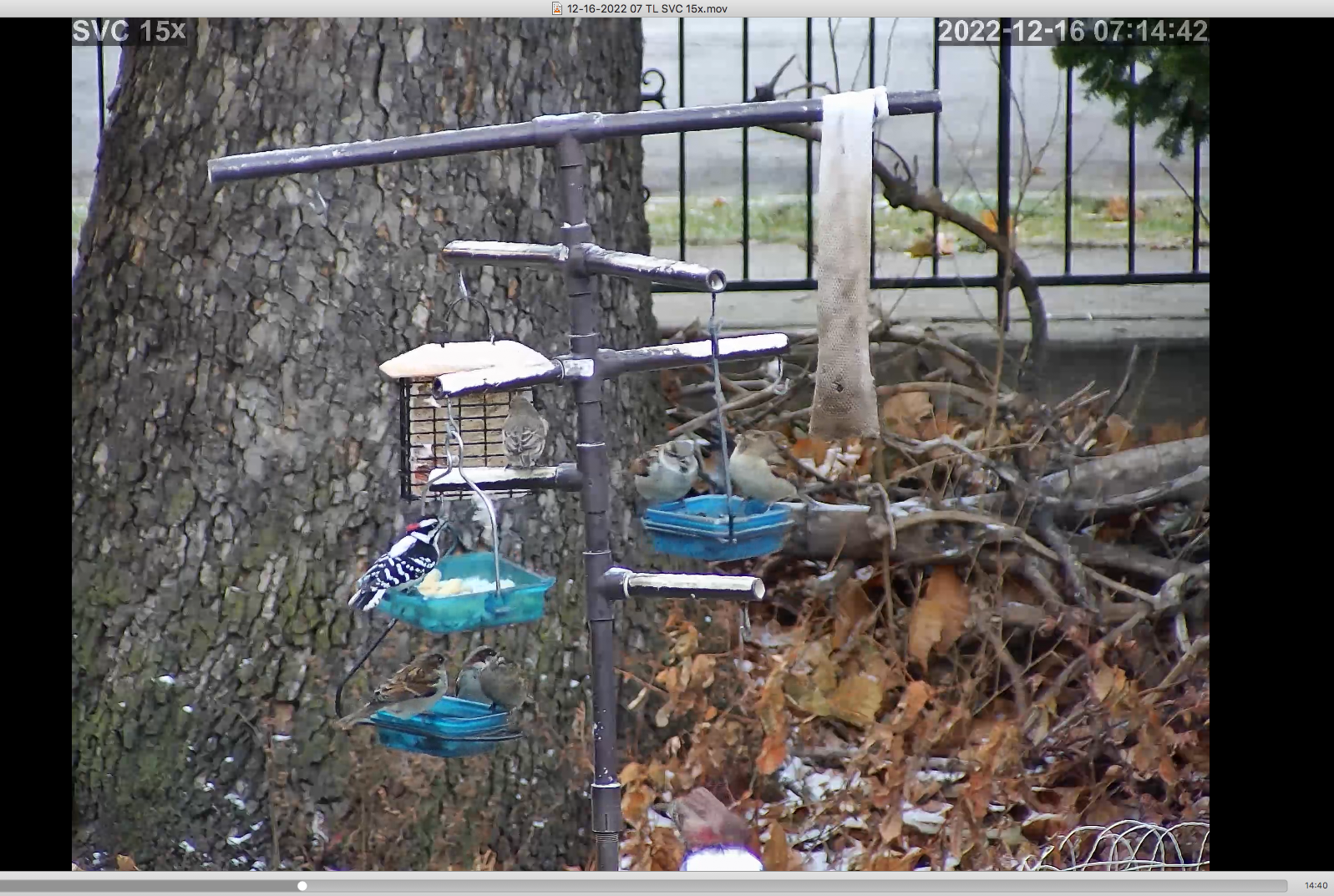
Well, I may have done something right because today the focus Iset remained when it switched over to daytime. Still wish I had a better understanding of the presets and what "call"/"submit"/"remove" mean.
-
Good to hear the camera is behaving a bit better today - nice birds! Normally with PTZ presets, "call" would refer to invoking a preset - i.e. to move to that position - while "submit" would be to save a preset, and "remove" to delete a preset.
-
Thanks Ben. So if the camera has a preset of 68 for disable auto-focus, and I "submit" 68 for some other setting, that overwrites the factory preset?
-
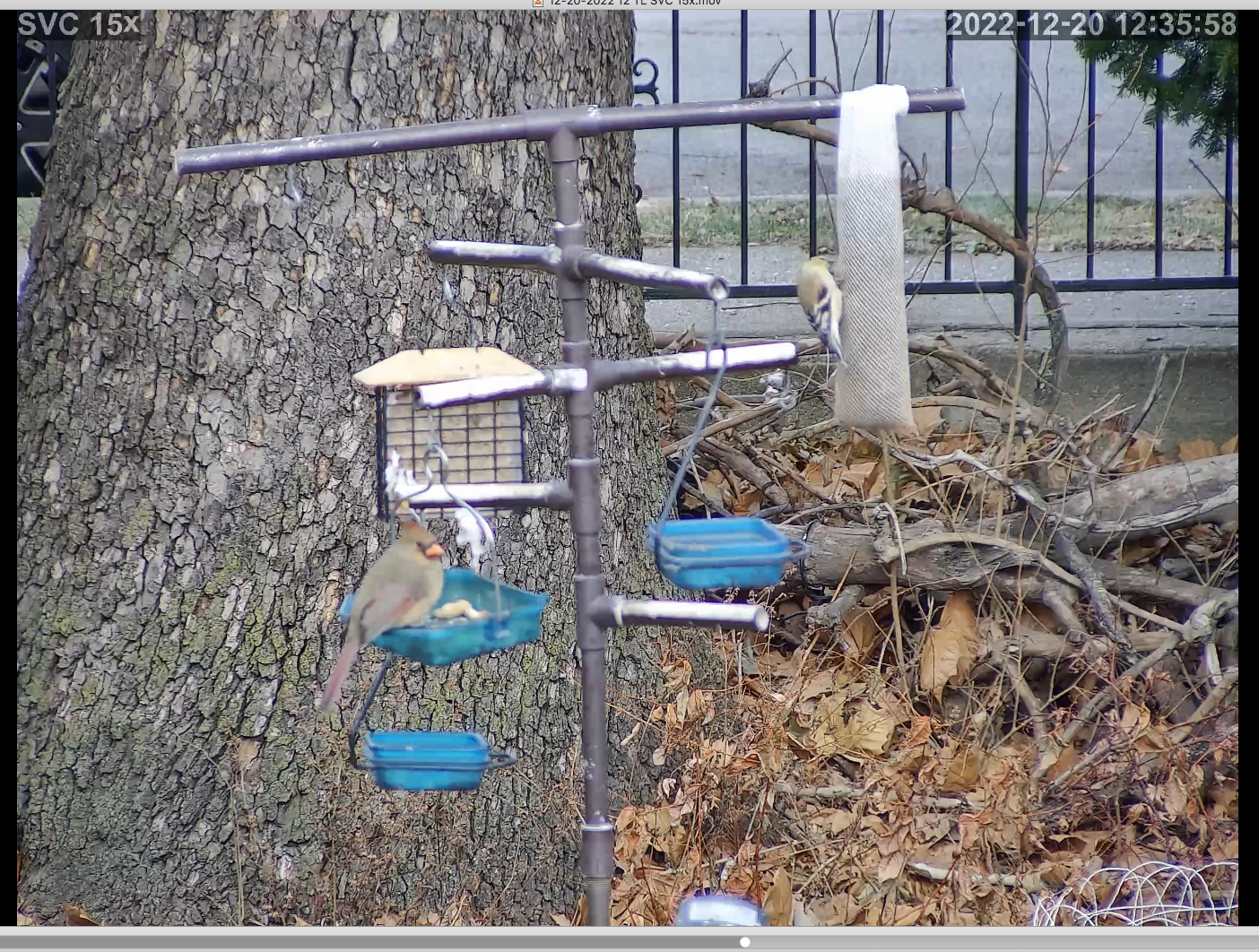
Back to focusing on the tree today :-(
-
I've been spending some time trying to learn about all the variables that go into creating the image that gets viewed and recorded.
Looking at this last picture, I notice the fabric of the hanging bag on the right seems to be in better focus than it is on the picture above, where the birds and feeder seem to be in better focus.
This suggests there is a depth of field difference between the pictures, which could point to an aperture setting difference. I'm not sure if these cameras handle exposure differences by varying an aperture.
The computer's processor and memory capacity, and the camera's selected bitrate, Key Frame Rate and H264 Base/Medium/High or H265 settings will all have an impact on the clarity of the picture, unrelated to focus.
I just learned about key frames in the last day or two. My understanding is that the video processing only updates the pictures in areas where there is movement, until it calls for as key frame to refresh the parts where there has been no movement. This can lead to areas of the picture that are not processed well staying that way for a period of time.
If you have other cameras connected to the same computer, they will be competing for its processing power, and can slow things down for this camera, which will degrade its images.
The Dahua doorbell cam I have was default set to H265. I was not able to access its webpage via SecuritySpy, so I just left it that way. I have 6 SV3C cameras that were all on H264. They all struggled to keep up, even at 10 frames per second, until I took the time to get into the Dahua and change it to H264. That fixed all the lag I was seeing on the other cameras. This is on a 2014 Mac Mini i7.
Sorry this is so long, and sorry if you already know all this, or more, but if you have other cameras being processed by the same computer, I'd take them offline and just work with this one, and try changing encoding, Key Frame Rate, bitrate, and H264/265 settings to see if you can find the best combinations for your particular set of circumstances. If I understand aperture/depth of field correctly, adding more light will decrease the aperture, which will increase the depth of field. My guess is that's what put that bag in focus at the same time as the tree bark. Maybe a floodlight (or a ring light) would improve the focus on the feeder by closing the aperture and increasing the depth of field. I'm not sure if it would discourage the birds, though.
-
That's an interesting note on the H265 camera seemingly causing lag on the H264 cameras. Can you reproduce that meaningfully? are any of them "HW" decoding or are they all "SW" decoding? (sorry to thread-hijack, but that's... really interesting.)
-
Thanks for additional comments. Not related to computer processing or h264 vs. h265. I think I at least found a work-around-- I turned off night mode (infrared) entirely as the focus I was entering kept resetting every time the camera switched between day mode and night mode. Nothing perches on the feeder at night anyways so no huge loss. And it's stayed at the focus I set since I did so last night.