BT Homehub 5

Ben
I've just installed a new BT Homehub router. How can I set the port forwarding to 8000 or 8001 ????
It driving me nuts......
Thanks Waz.
I've just installed a new BT Homehub router. How can I set the port forwarding to 8000 or 8001 ????
It driving me nuts......
Thanks Waz.
Comments
-
Hi Waz,
Please see this BT help page for instructions (I'll also post a screenshot below in case that page disappears.
It looks like you'll first have to set up an "application" in the router for SecuritySpy using the port range 8000-8001, and then set this application as a port forwarding rule to the IP address or MAC address of your Mac. If you need the MAC address, you'll find it in the Network system preference pane - select the active network interface, click the Advanced button and click the Hardware tab.
Let us know if you continue to have problems.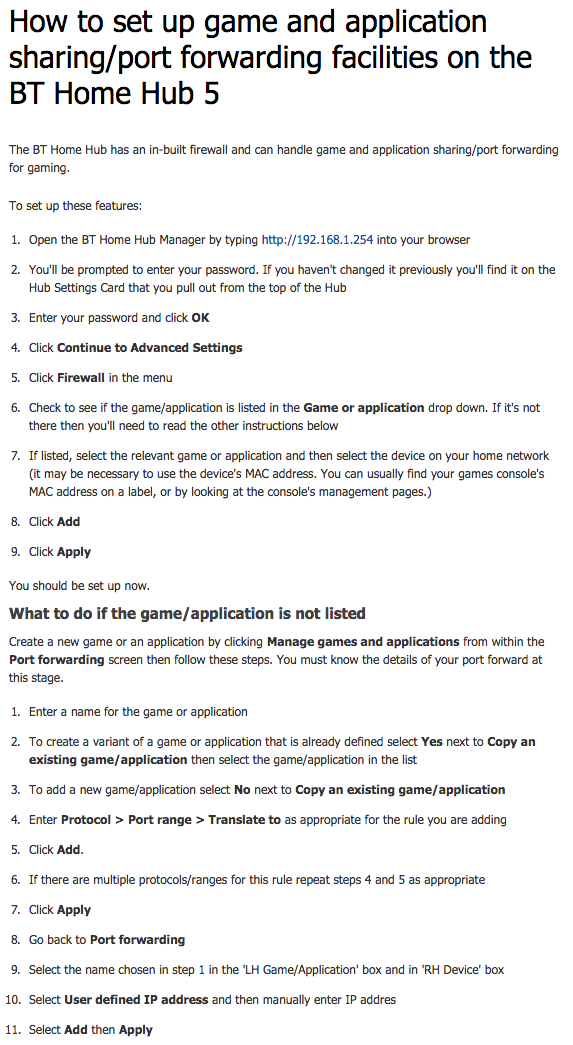
-
That worked a treat.
Thanks
